# Cách lấy data & Chức năng các button trong detail bài viết

## 01. Cách lấy data

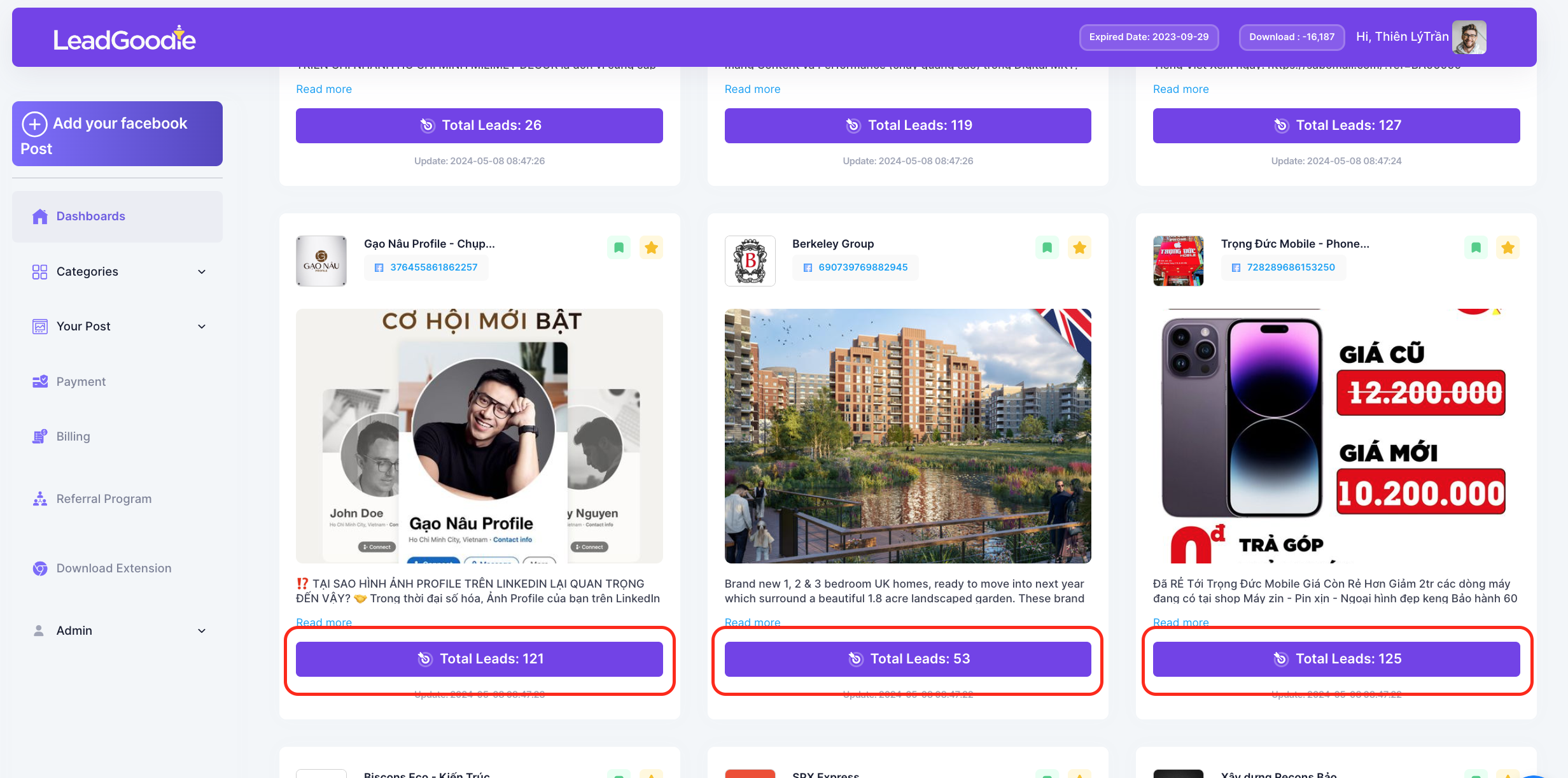
**Bước 01:** Chọn bài viết bạn muốn lấy data và Click vào Total Lead

<figure><img src="/files/YMgmzI1CPvHyyWBObdQ9" alt=""><figcaption></figcaption></figure>

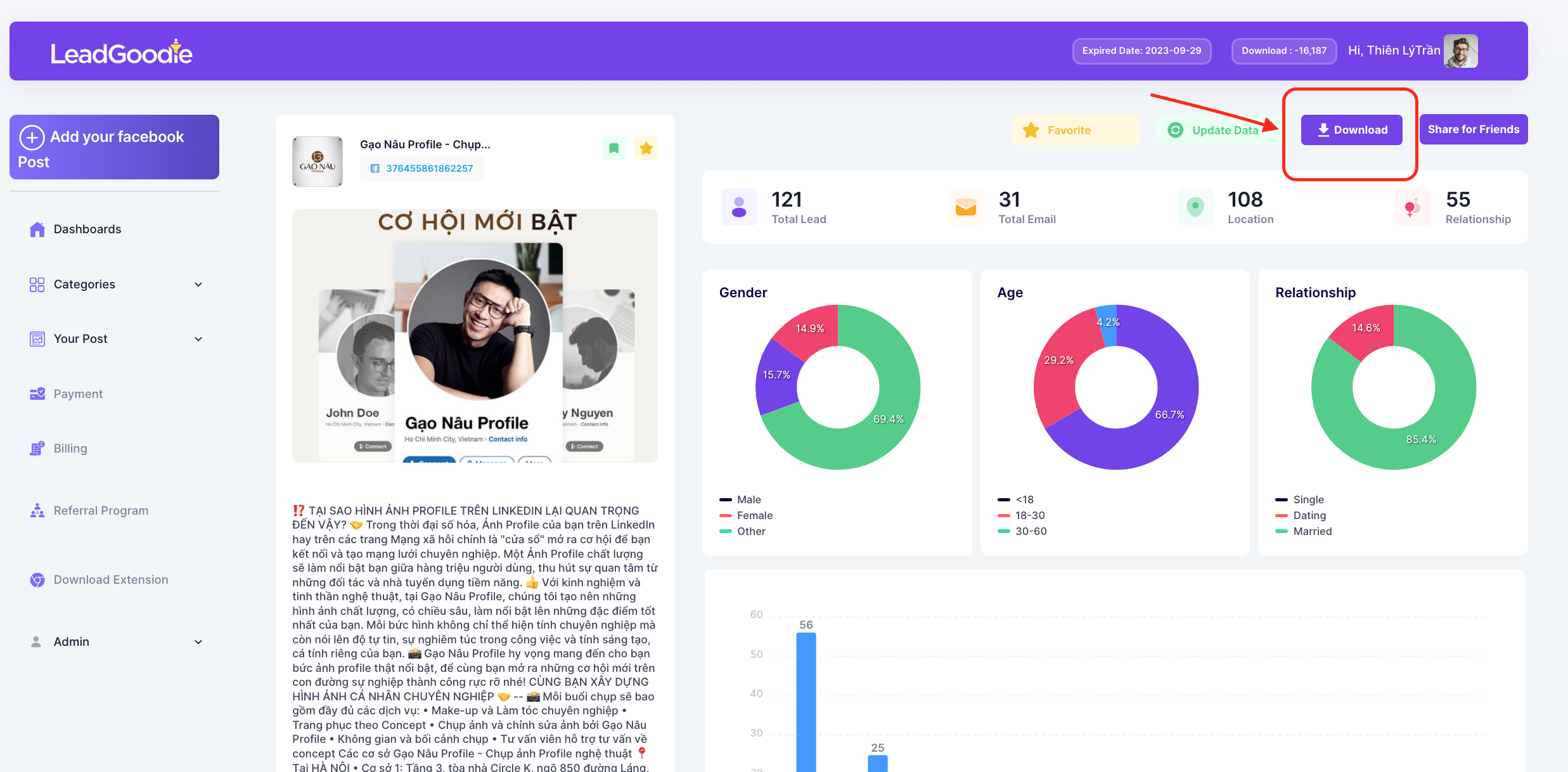
**Bước 02:** Bấm Download

<figure><img src="/files/ujWWDJnJ2lYfVhZtfLec" alt=""><figcaption></figcaption></figure>

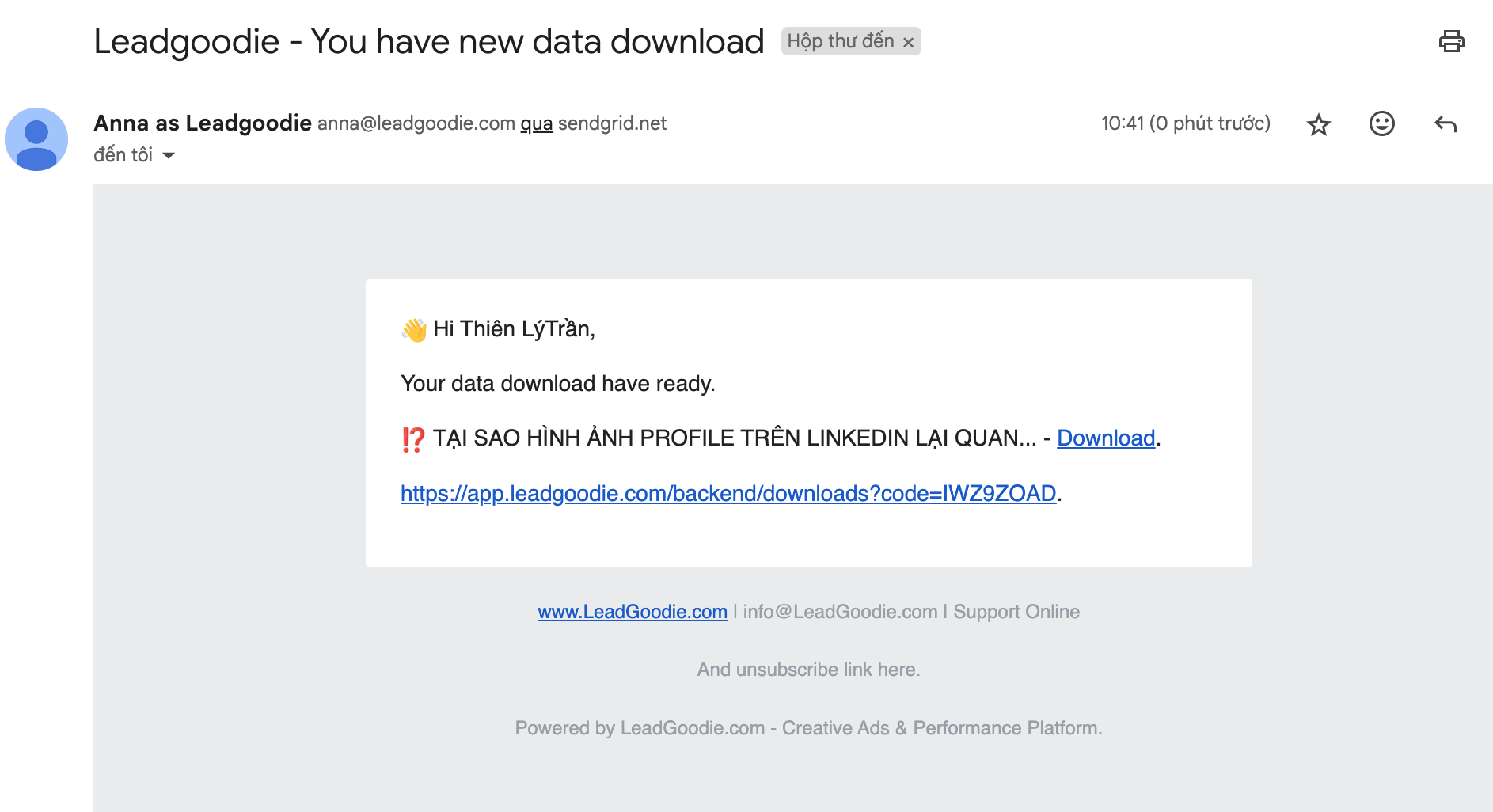
**Bước 03:** Sau khi bấm Download, file sẽ được gửi đến mail đến email mà bạn đã đăng ký tài khoản. Bấm download để tải vê

<figure><img src="/files/L9P9e3f5qyTlsM8fQM5V" alt=""><figcaption></figcaption></figure>

## 02. Các chức năng các button trong detail bài viết

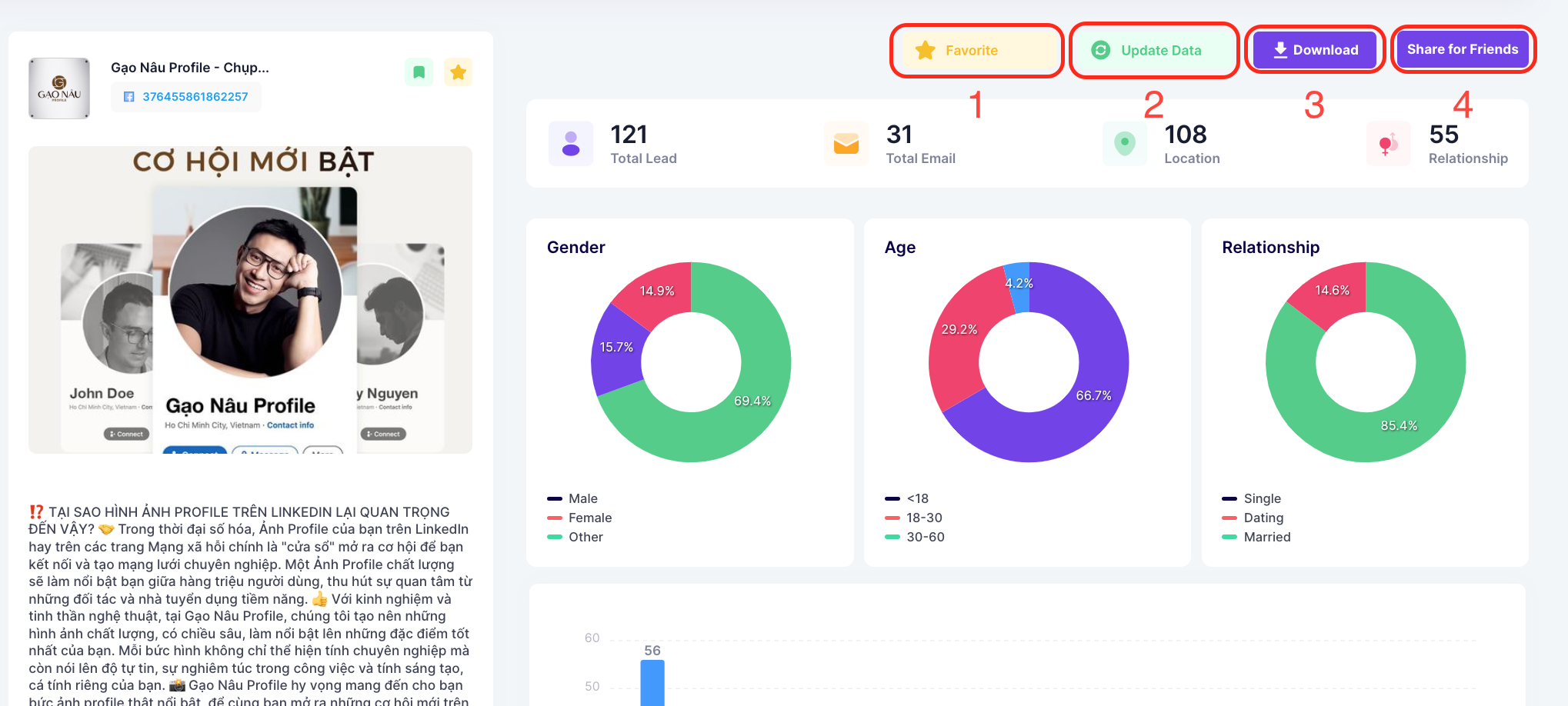
<table><thead><tr><th width="83">STT</th><th width="137">Tên</th><th>Chức năng</th></tr></thead><tbody><tr><td>01</td><td><strong>Favorite</strong></td><td>Giúp bạn lưu trữ những bài viết bạn yêu thích, hoặc bạn có thể lưu trữ các bài viết cần thiết để dùng sau. Bạn chỉ cần tích vào Favorite sẽ được lưu vào <a href="/pages/8rI5VKNGQFn3EyZufel2"><strong>Your Favorite</strong></a></td></tr><tr><td>02</td><td><strong>Update Data</strong></td><td>Bài viết theo thời gian sẽ có thêm các tương tác và có thể bạn bỏ lỡ những data này. Vì vậy Update Data giúp bạn cập nhật thêm các data ở thời gian sau này.</td></tr><tr><td>03</td><td><strong>Download</strong></td><td>Khi bạn muốn sử dụng dữ liệu: email để gửi email hay số điện thoại để gửi sms, viber,... thì bạn có thể tải dữ liệu về. Hệ thống sẽ gửi file và thông báo về email bạn đã đăng ký tài khoản LeadgGoodie. Bài viết đã được download sẽ lưu về <a href="/pages/9friDsNGQEY7kXwYGxdH"><strong>Your Download</strong></a></td></tr><tr><td>04</td><td><strong>Share for Friends</strong></td><td>Chức năng chia sẻ bài post cho bạn của bạn <a href="/pages/ccBAhs7Bm9tng17rwovS"><strong>Share for Friends</strong></a></td></tr></tbody></table>

<figure><img src="/files/KfMvJN3wBklc30qRqGm8" alt=""><figcaption><p>Detail bài viết</p></figcaption></figure>


---

# Agent Instructions: Querying This Documentation

If you need additional information that is not directly available in this page, you can query the documentation dynamically by asking a question.

Perform an HTTP GET request on the current page URL with the `ask` query parameter:

```
GET https://huongdan.leadgoodie.com/cach-lay-data-and-chuc-nang-cac-button-trong-detail-bai-viet.md?ask=<question>
```

The question should be specific, self-contained, and written in natural language.
The response will contain a direct answer to the question and relevant excerpts and sources from the documentation.

Use this mechanism when the answer is not explicitly present in the current page, you need clarification or additional context, or you want to retrieve related documentation sections.